

ADR-010 — Running LLMs at home: what to run, and what to run it on
Status: Proposed — pricing researched 2026-07-15 (see Pricing & verdict). Nothing bought yet; leaning toward a used NVIDIA GPU. Date: 2026-07-15
Goal: start running open models locally. I know two things going in — RAM is expensive right now, and NVIDIA cards are pricey. I keep hearing "Strix Halo" but have no idea what it actually is. I want the trade-offs laid out honestly against a cheap cloud model (Gemini Flash), not a sales pitch for buying a GPU. My workflow is NixOS, which quietly rules some options in and out.
Prices are real — pulled from live UK listings on 2026-07-15 with screenshots + links in the Pricing & verdict section. Still from memory (Jan-2026 cutoff): which open models are best, and Strix Halo's real-world tokens/sec — I priced the hardware, I didn't benchmark it. Those are flagged 💷 and listed as open questions at the end.
The one thing to understand first
People assume you need a monster GPU for the compute. You don't. For running a model (not training one), you're limited by memory: first "does the model even fit?", then "how fast can the chip read the weights out of memory?". That second one — memory bandwidth — is what sets your words-per-second. Raw processing power barely gets a look-in.
That single fact explains every hardware choice below. A cheap chip with lots of fast memory beats an expensive chip with too little.
Your mental model, with one fix
You had it almost right: CPU (does the general work — barely matters here), RAM (where the model lives — matters a lot), GPU (does the heavy maths fast). The fix is this:
own memory, and that's the real limit When people say "big GPU" they really mean big VRAM — the fast memory on the card itself, separate from your system RAM. For a model to run fast it has to fit in that memory, not your normal RAM (which is too slow to feed the chip). And here's the wall: consumer graphics cards only come with 24–32GB of it, no matter how much system RAM you bolt on. That's why you can't just put 128GB of cheap RAM in a PC and run a giant model on the GPU.
So there are really two shapes of machine, and this is the whole story:
That shared pool is big, but it's usually slower to read than a real graphics card's VRAM. Remember: reading speed = words-per-second. So a unified box fits models a normal PC can't dream of, but churns through them more slowly. Big-but-slower vs small-but-fast — that's the whole trade.
"Only NVIDIA?" — no, three vendors matter
The three machines you asked about are each a unified-memory box from one of these vendors: Strix Halo = AMD, Mac Studio = Apple, DGX Spark = NVIDIA. They all dodge the 24GB VRAM wall the same way — one big shared pool instead of a separate card.
So which box? Three honest options
The tension in one line: NVIDIA gives you speed but not much memory; the big-memory boxes give you room for huge models but read them more slowly. Which pain you'd rather have depends on what you want to run.
Does it fit? The only maths you need
Every model has a size on disk, and it needs to fit in memory with room to spare. You shrink it with quantisation — storing each weight in fewer bits. The rule of thumb:
memory needed ≈ (billions of parameters) × (bytes per weight), plus a bit of headroom. Full precision = 2 bytes. "Q8" ≈ 1 byte. "Q4" ≈ ½ byte and is the sensible default.
A Mixture-of-Experts model has a huge number of weights but only wakes up a small slice of them per word. DeepSeek's big model is 671B weights but only uses ~37B at a time. So it needs the memory of a giant model but runs at the speed of a small one. That's exactly what a big-memory-but-slower box (like Strix Halo) is good at.
What's worth running (early-2026 view 💷)
Grouped by the box you'd need. Names change fast; the tiers don't.
If I had to name one starting point: Qwen3 32B on a 24GB card is the "feels like a real assistant, runs on one affordable GPU" sweet spot.
The three big-memory boxes, side by side
All three do the same job — fit a huge model by using one big unified memory pool instead of a graphics card. They differ on price, speed, and how painless the software is. Here's the shape of it:
It's AMD's Ryzen AI Max+ 395 chip: CPU + graphics + AI accelerator on one piece of silicon, wired to up to 128GB of shared memory the graphics can use directly (💷 ~256 GB/s, unbenchmarked here). I assumed this was the cheap way in — but the RAM shortage has pushed the 128GB Framework Desktop to £3,449 (see pricing below). Catch beyond price: it reads memory ~4× slower than a real GPU, so a dense 70B is usable, not snappy — but feed it an MoE model and it flies. It's x86, so NixOS runs on it natively — the big tick for my workflow.
Apple's desktop has the fastest unified memory of the three and scales to 512GB. But it's macOS only — and my workflow is NixOS. nix-darwin manages a Mac but it isn't NixOS, and the whole point is to stay in my setup. Ruled out. Kept here only as a speed/price reference (from £2,499; a 512GB Ultra is ~£8k).
A little desktop AI box from NVIDIA. Same 128GB-unified idea, and its draw is CUDA. But two problems for me: it's ~$3,999 and in the UK sells mostly as multi-unit bundles (from £9,849), and the chip is ARM running NVIDIA's Ubuntu-based DGX OS — so NixOS would be an uphill fight against the vendor stack. Great engineering, wrong fit.
Cheapest → dearest: used GPU ≪ Strix Halo 128GB (£3,449) ≈ RTX 5090 (£3,400) < DGX Spark (£4k+/bundles) < Mac Studio 512GB (~£8k). Fits the biggest models: Mac Studio (512GB) > Strix Halo / DGX Spark (128GB) > any single consumer GPU (24–32GB). Runs on NixOS: ✅ Strix Halo & NVIDIA GPUs (x86) · ⚠️ DGX Spark (ARM + DGX OS) · ❌ Mac (macOS).
The honest bit: is any of this cheaper than Gemini Flash?
I assumed "no, not even close." The research softened that. Flash got more expensive — the current cheap-cloud tier isn't the £0.30/million I remembered:
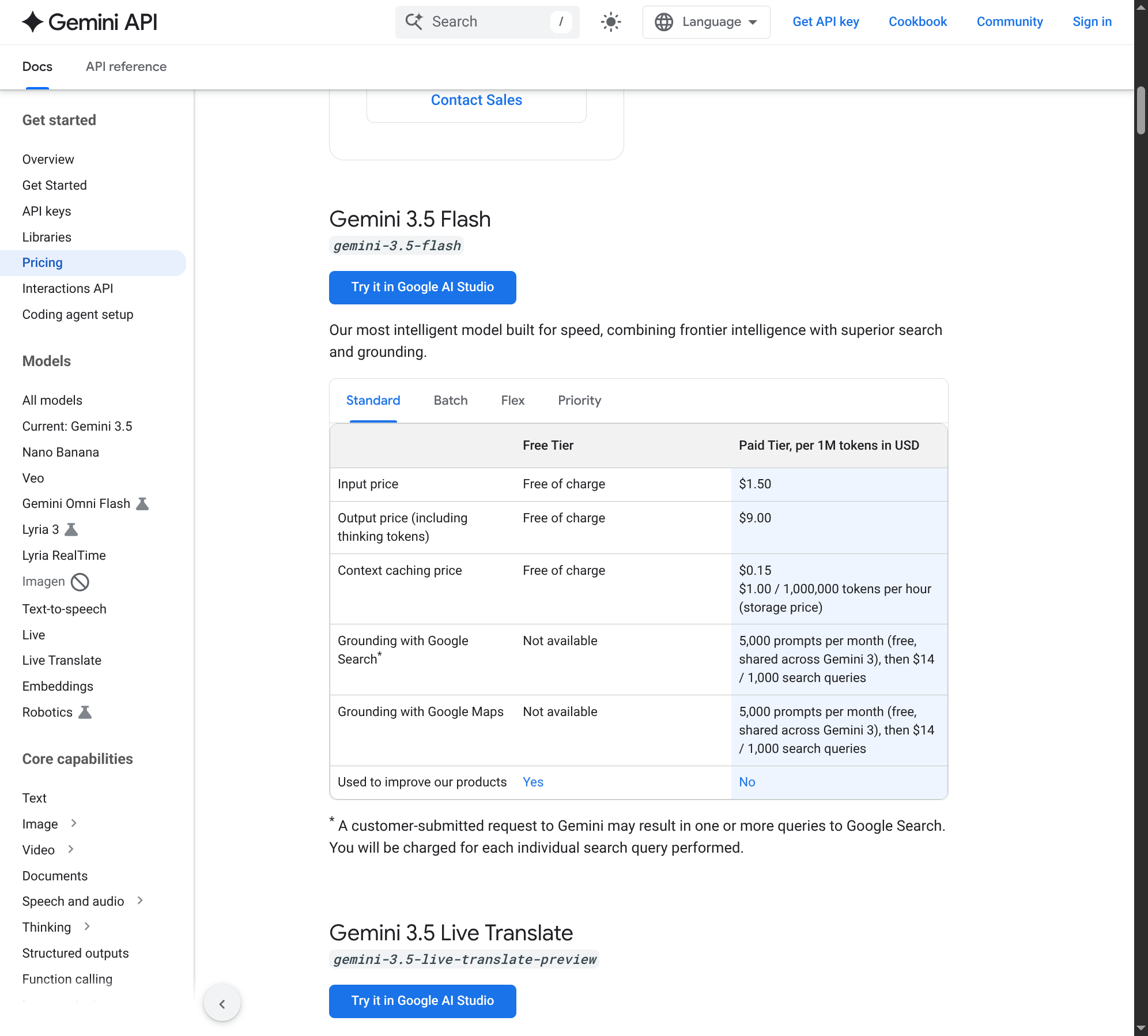
A used RTX 3090 (~£650 ≈ $820) breaks even against Flash 3.5 output ($9/1M) at roughly 90 million output tokens — genuinely reachable if you use a model daily. Against the cheaper Flash-Lite ($1.50/1M) you'd need ~550 million. A £3,449 Strix Halo needs ~490M (vs Flash) to ~2.9 billion (vs Flash-Lite). So: a cheap GPU can out-economise full Flash for a heavy user; a big-memory box almost never beats Flash-Lite on money alone.
Even where the maths works, you're comparing a local 32B model to Google's frontier-ish Flash — not the same quality. And this ignores electricity and your time. Buy local for what Flash can't give you, not to save pennies:
The real question isn't "which GPU" — it's "do I actually want what local gives me?"
Pricing & verdict (researched 2026-07-15)
All prices are live UK listings pulled on 2026-07-15, each with a screenshot and a working link. Currency: £ inc. VAT unless noted.
I expected a 128GB Strix Halo at ~£1,500–2,000. It's £3,449. And 128GB of plain DDR5 is £1,575. High-capacity memory is the single most inflated thing in this whole comparison right now — which quietly kills both the "cheap unified box" and the "just stuff a PC with RAM" routes.
At a glance
🟢 Used RTX 3090 (24 GB) — the sensible entry
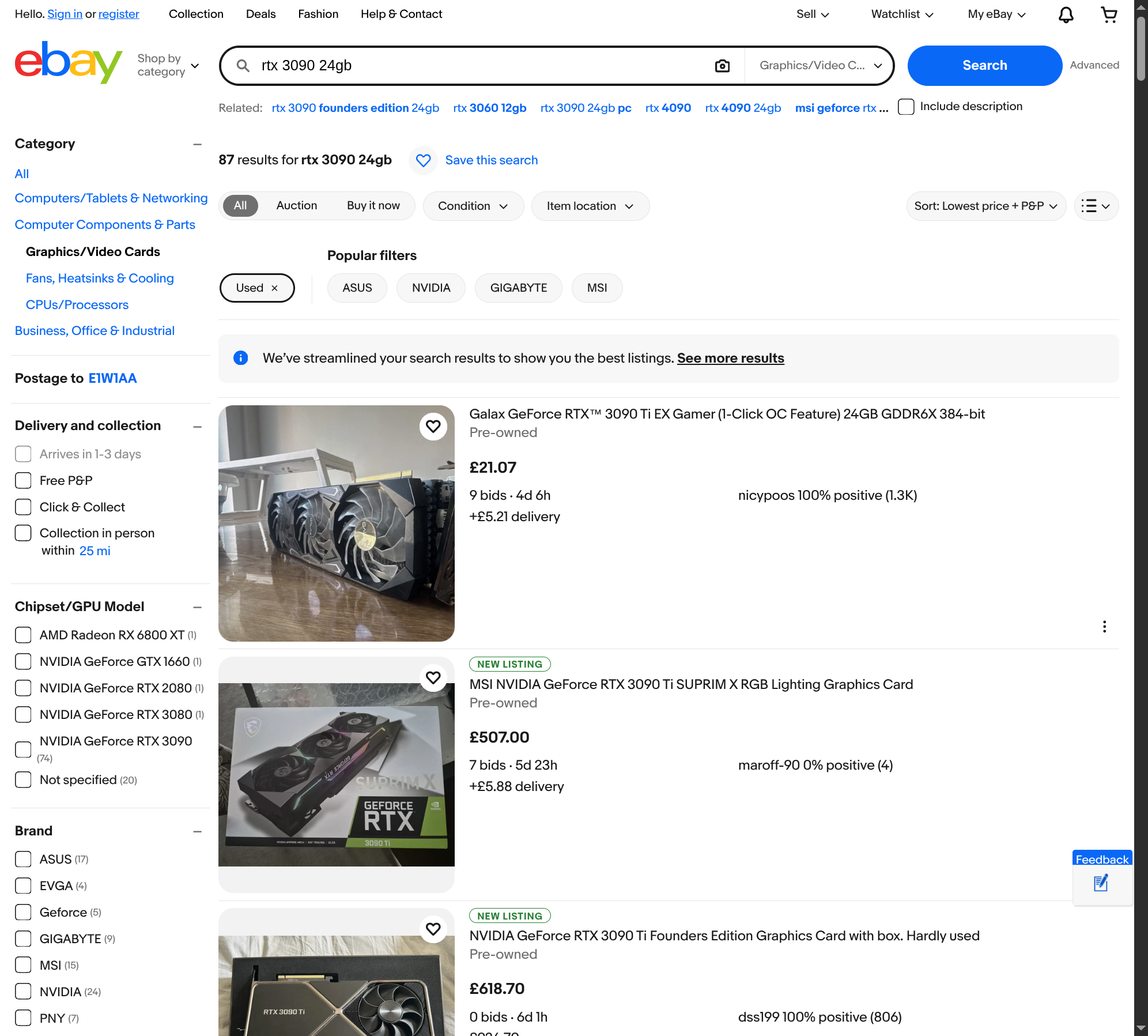
TL;DR: £500–800 for 24 GB of fast VRAM. Runs Qwen3 32B — the "feels like a real assistant" sweet spot — quickly, on NixOS with the well-trodden NVIDIA+CUDA path. Pros: cheapest way to fast local inference · best speed-per-pound · CUDA means everything just works · can genuinely pay for itself vs Flash 3.5 (~90M tokens). Cons: 24 GB caps you around 32B (dense) · used-market lottery on condition · 350W and toasty. 🔗 eBay UK — used RTX 3090 24GB
🟠 New RTX 5090 (32 GB)
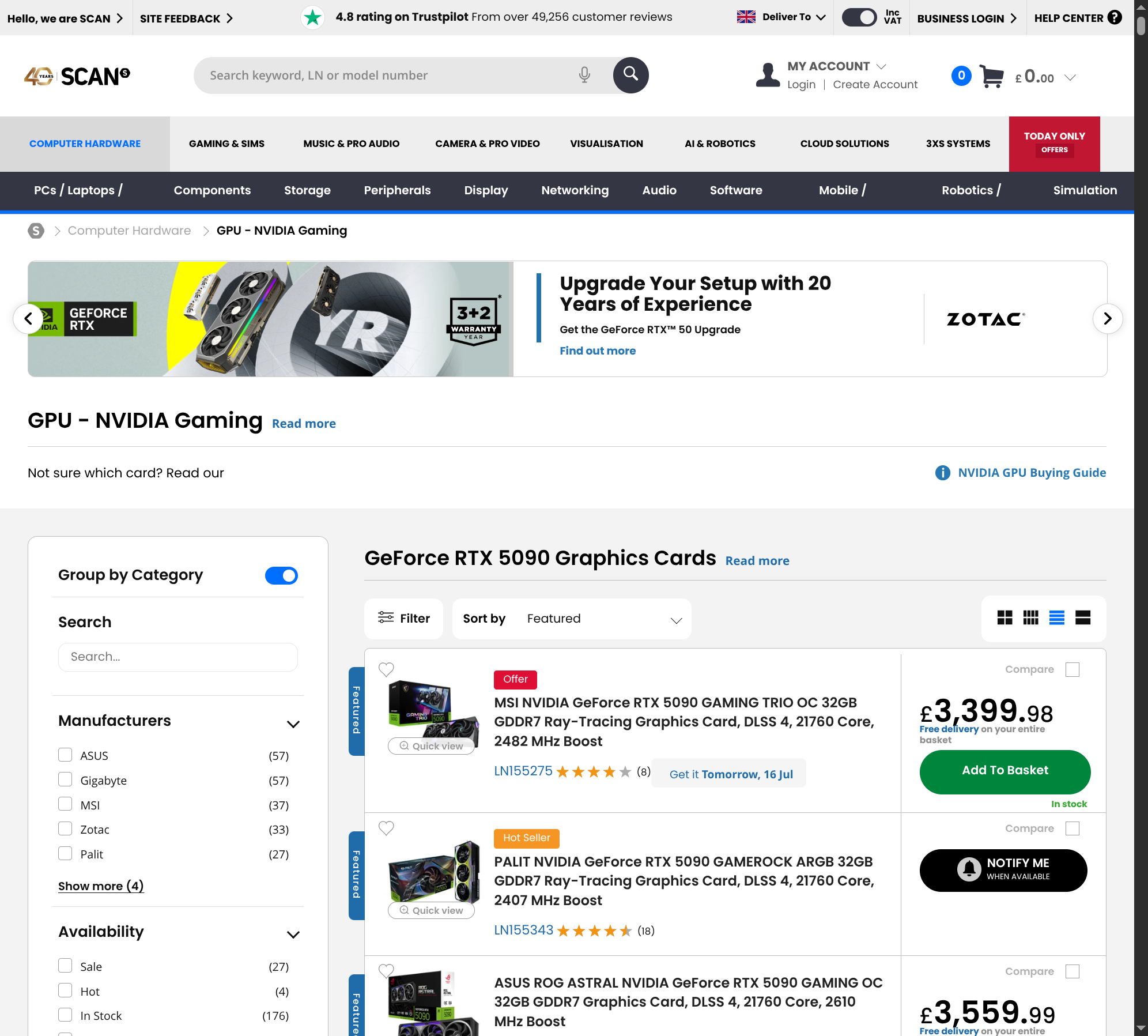
TL;DR: £3,400+ for 32 GB and top speed. Same 24–32B ceiling as the 3090, just faster — and it doubles as a gaming card. Pros: fastest consumer inference · newest, warrantied · 32 GB is a real step up for headroom. Cons: ~£3,400 buys the same memory class as a £650 3090 · overkill unless you also game · still can't fit 70B comfortably. 🔗 Scan UK — RTX 5090 cards
🟣 Strix Halo 128GB — Framework Desktop
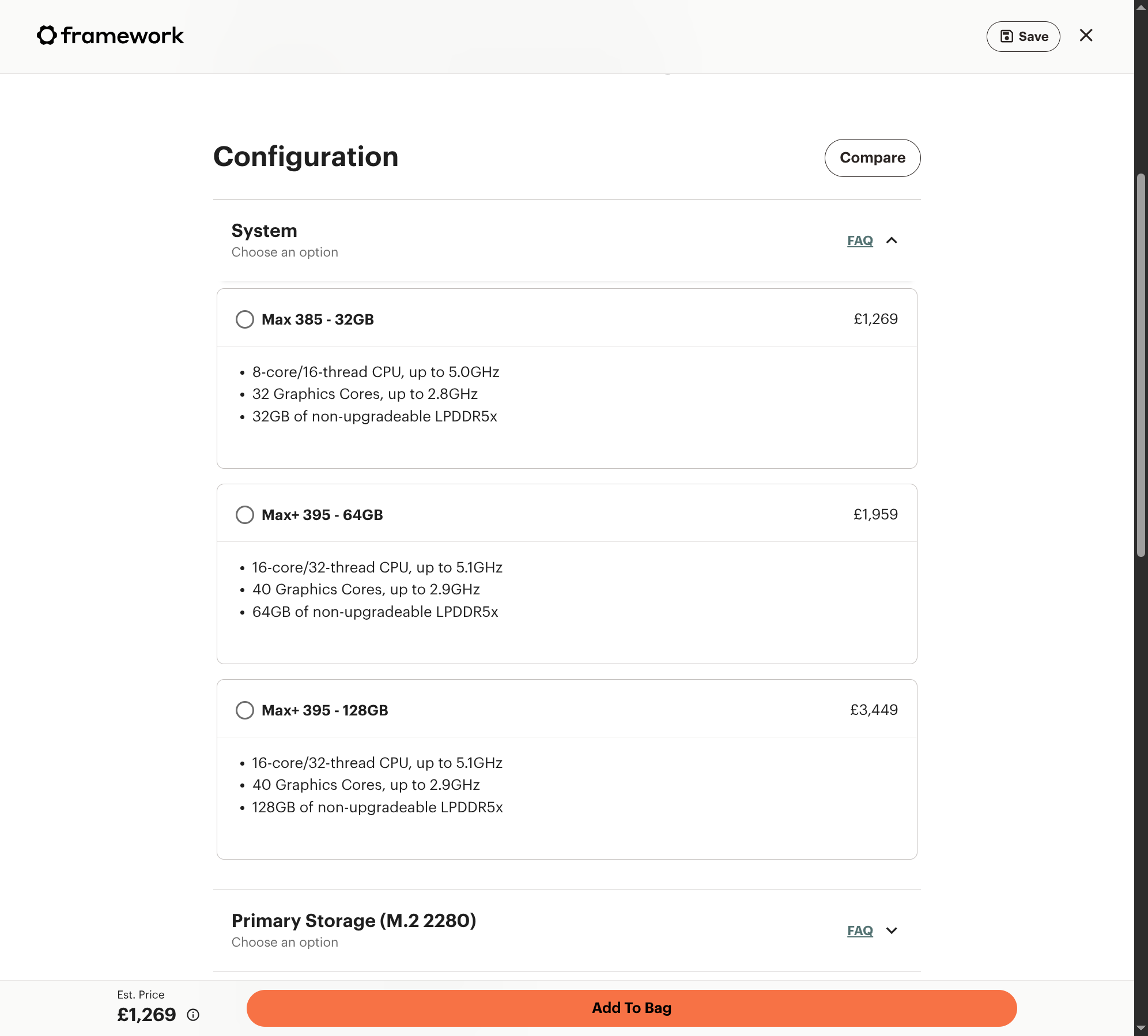
TL;DR: £3,449 buys 128 GB of unified memory — enough to run 70B dense and big MoE models a GPU can't hold. x86, so NixOS runs natively (Framework even has a Linux support tab). Slower per word than a real GPU. But you're paying a big Western-brand premium — the exact same chip is ~£1,700 from Chinese brands (below). Pros: trusted Western vendor, UK stock, no import faff · native NixOS · sips power vs a dGPU rig · one tidy mini-PC. Cons: ~£1,700 more than an identical GMKtec/Minisforum box · £3,449 is 5× a used 3090 for slower inference · AMD ROCm still rougher than CUDA · memory soldered · dense-70B speed unverified (💷). 🔗 Framework Desktop configurator
The China-market route — same chip, ~half the price
You asked about Chinese sites, and this is where it gets interesting. Strix Halo isn't a Framework exclusive — it's an AMD chip, and Chinese brands drop it into mini-PCs for roughly half Framework's UK price. Since you already rate Minisforum, this is probably the real big-memory option.
🟢 Minisforum MS-S1 MAX — the one I'd actually buy for big models
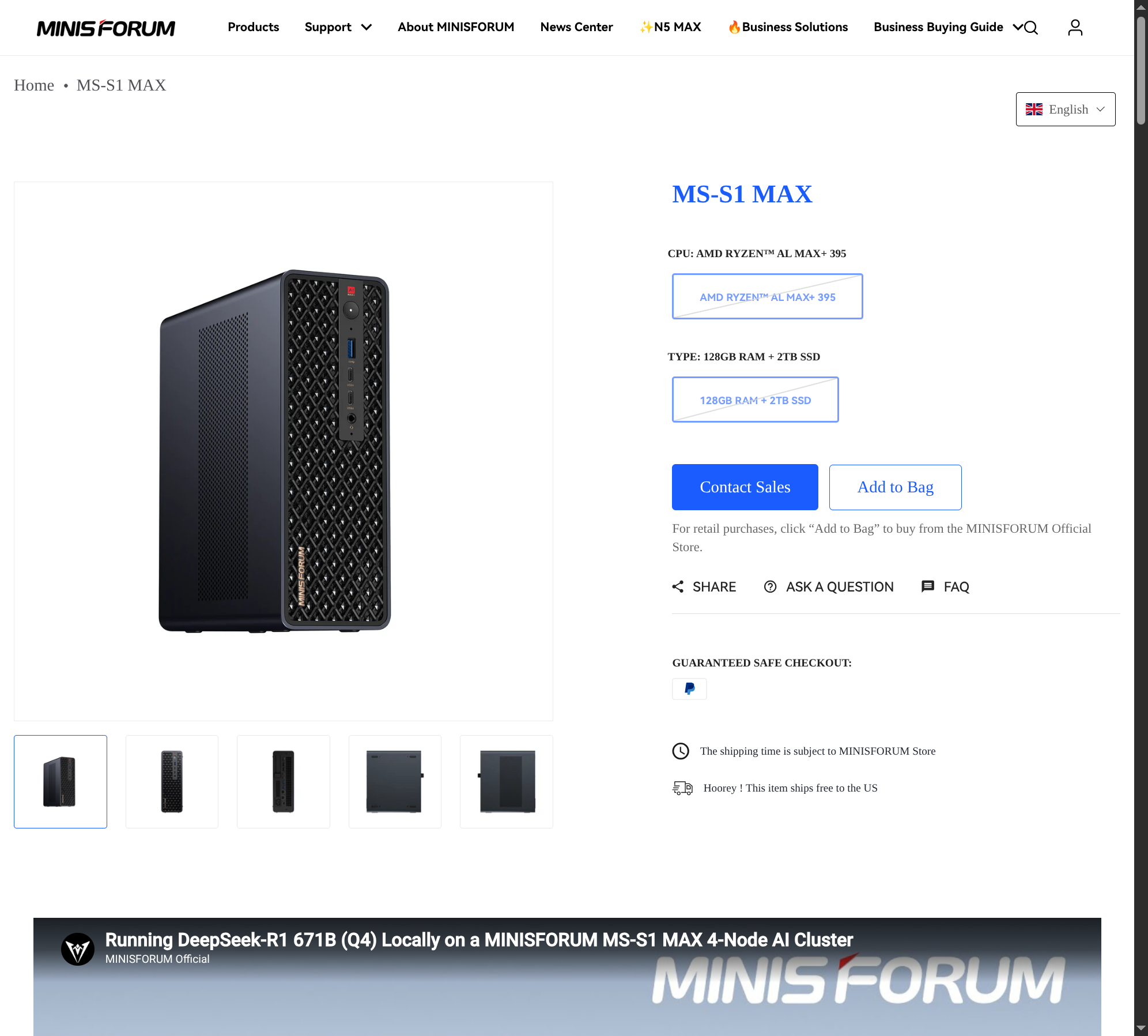
TL;DR: $2,221 (£1,750) for the 128GB + 2TB config of the same Ryzen AI Max+ 395 chip — from the brand you already trust. Minisforum explicitly markets it as a "160W AI Workstation for LM Studio" and demos DeepSeek-R1 671B on a 4-node cluster, so they're aiming straight at this use case.
Pros: half Framework's price · brand you've had good experiences with · 2TB SSD included · x86 → native NixOS · marketed for local LLMs.
Cons: USD pricing + likely UK import VAT (~£2,050 landed) · warranty support is China-based · still bandwidth-limited (slower than a GPU per word).
🔗 Minisforum MS-S1 MAX
🟢 GMKtec EVO-X2 — cheapest reputable brand
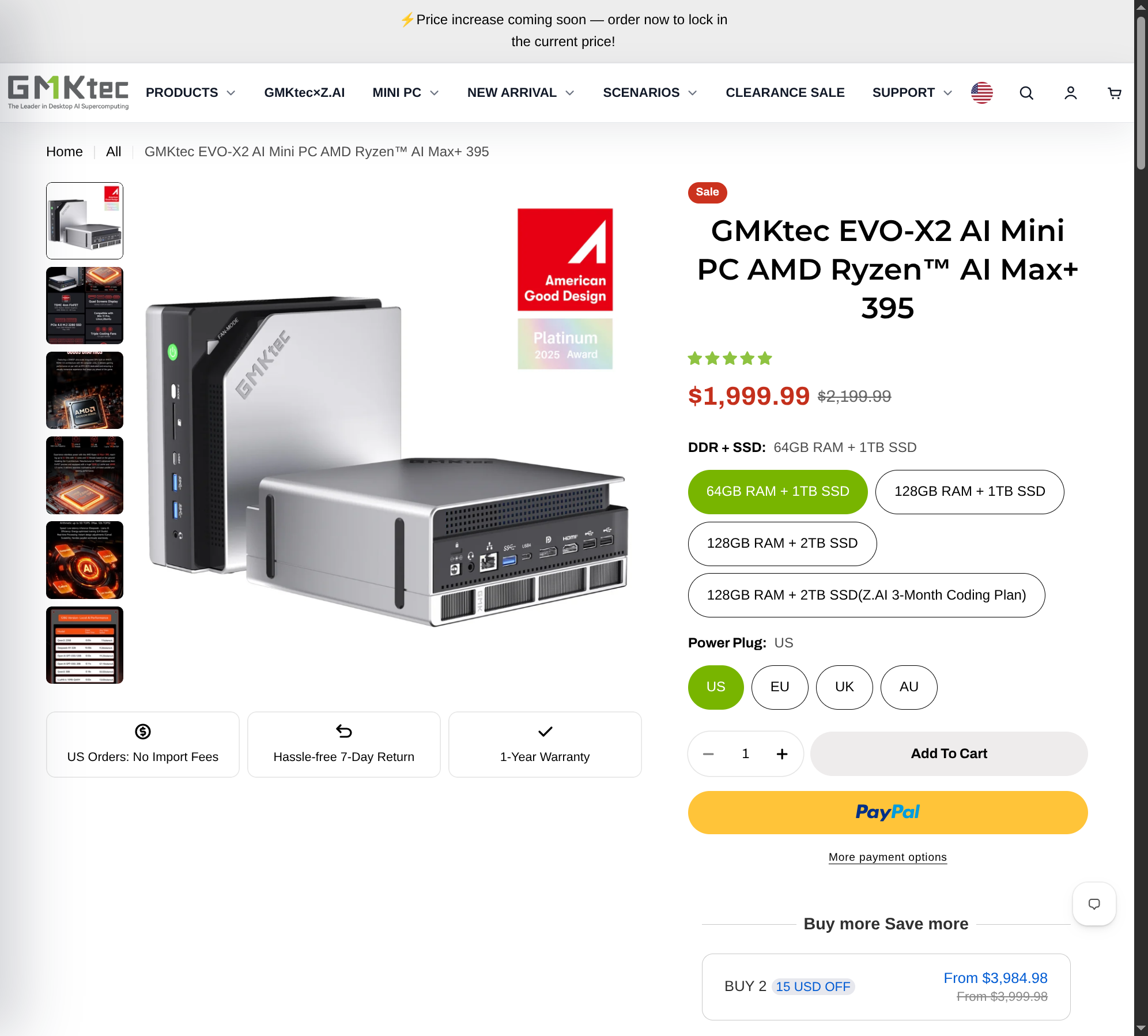
TL;DR: The best-known Strix Halo mini-PC. 64GB/1TB at $1,999.99 on sale, 128GB $2,199 (£1,730). 30 reviews, sold through GMKtec's own storefront with returns + warranty.
Pros: cheapest branded Strix Halo · established brand with real reviews · PayPal/Klarna, 7-day return · x86 → native NixOS.
Cons: same import-VAT caveat for the UK · GMKtec less premium than Minisforum · China-based support.
🔗 GMKtec EVO-X2
⚠️ Your Alibaba listing — real product, real risk
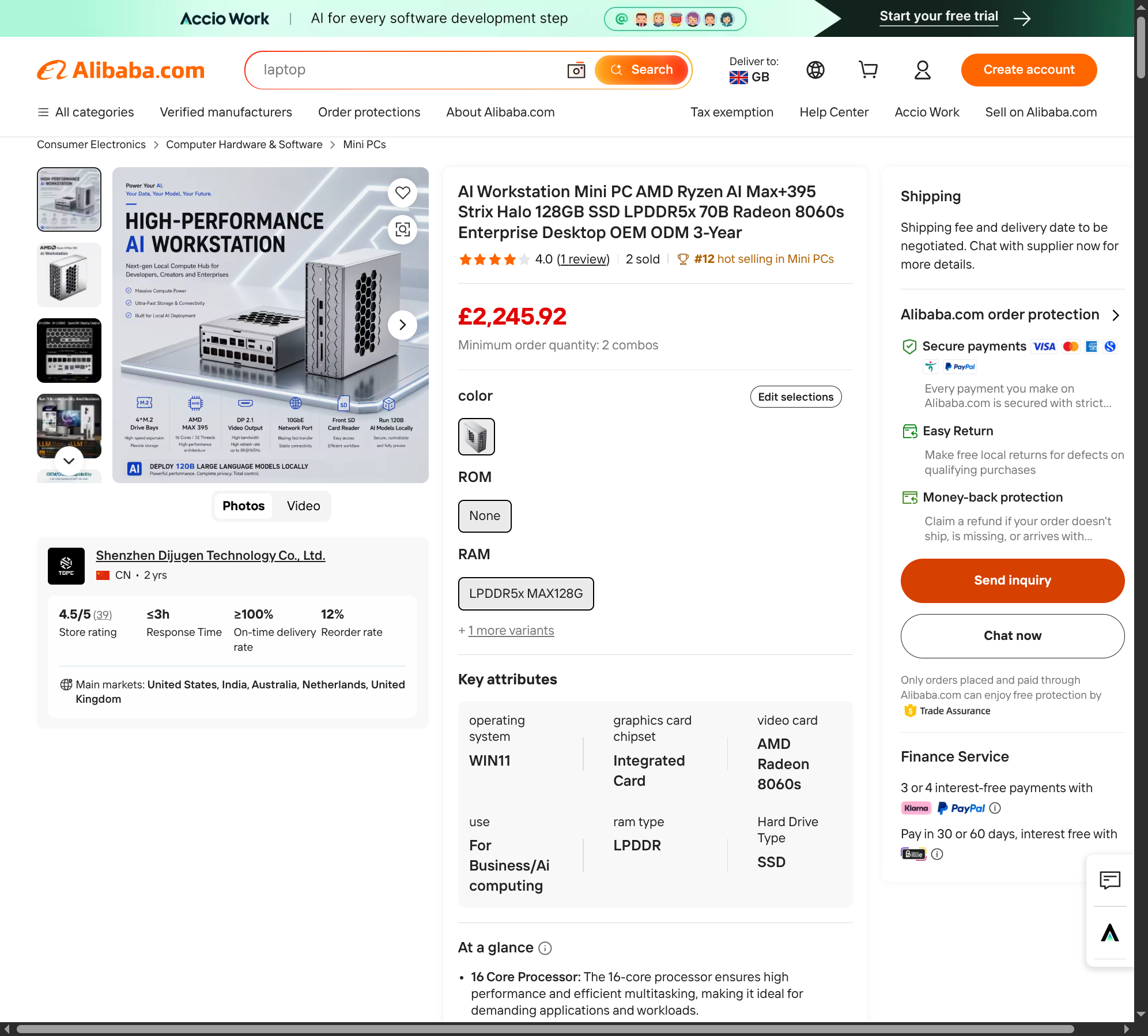
Is it legit? The product is real; the transaction is riskier than it looks. It's a genuine Strix Halo spec (Ryzen AI Max+ 395, 128GB LPDDR5X, Radeon 8060S) at £2,245.92. But:
:::warning Weigh these before trusting the Alibaba route
- It's Alibaba, not AliExpress — a B2B wholesale platform. You're doing an import transaction, not a consumer purchase. The listing even shows a multi-unit minimum ("2 combos").
- Thin track record: seller Shenzhen Dijuyan Technology is 2 years old, 1 review, "2 sold". The 4.5/5 store rating is on very little volume.
- Import VAT + duty land on top (~20%), pushing real cost toward ~£2,700 — which erodes most of the saving vs a branded GMKtec/Minisforum box.
- Recourse is weak: UK Consumer Rights Act doesn't cover a B2B import; the "3-year warranty" means little from a small Shenzhen OEM. Alibaba Trade Assurance exists but disputes are slow.
- Verdict: for ~the same money, a branded GMKtec or Minisforum box gives you reviews, returns and a warranty you can actually use. Only go white-label Alibaba if you want a specific spec they don't offer and you're comfortable with import risk. ::: 🔗 Your Alibaba listing
⚠️ NVIDIA DGX Spark — right idea, wrong shape for NixOS
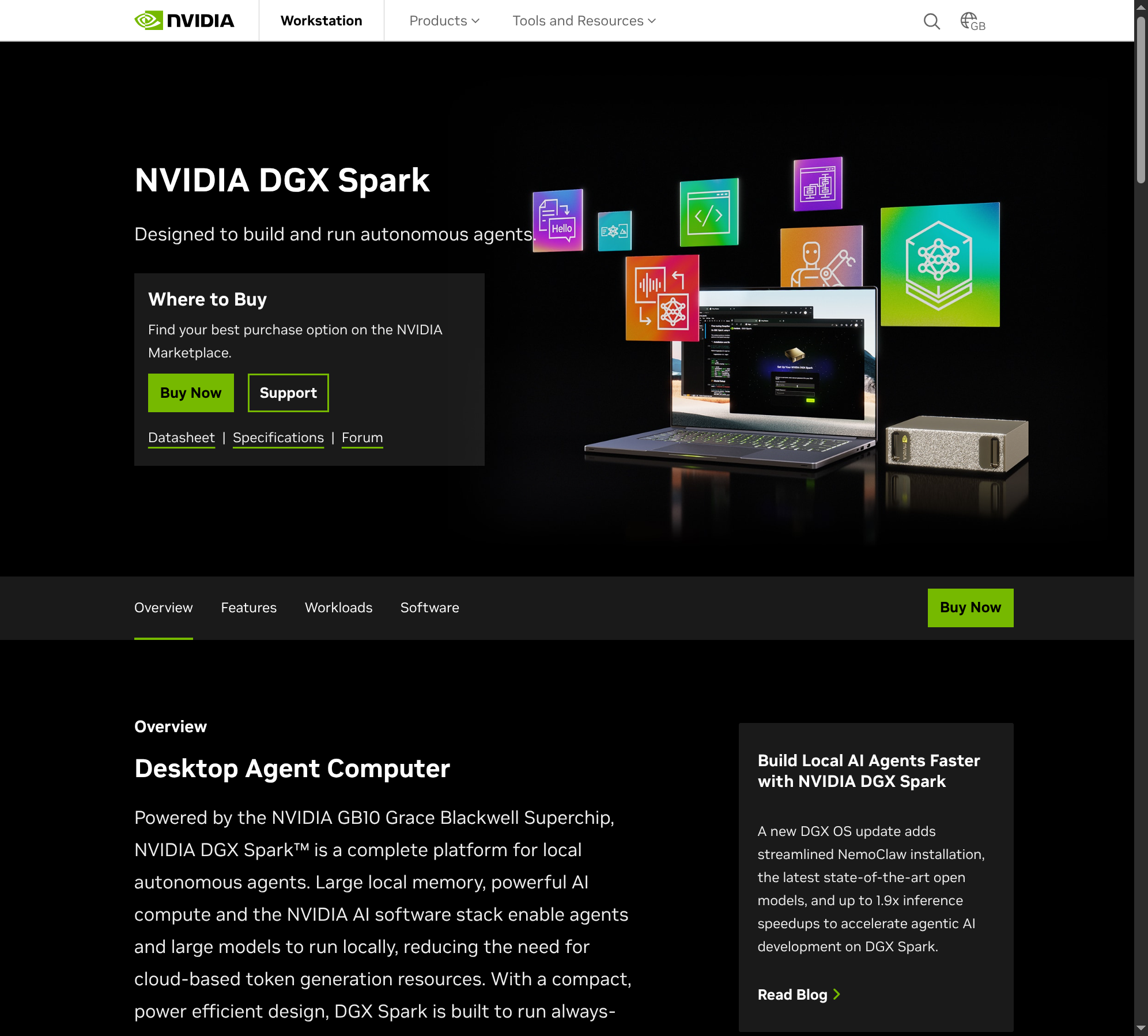
TL;DR: NVIDIA's 128GB unified desktop box with CUDA. But it's an ARM chip running Ubuntu-based DGX OS, and in the UK it's sold mostly as pricey multi-unit bundles.
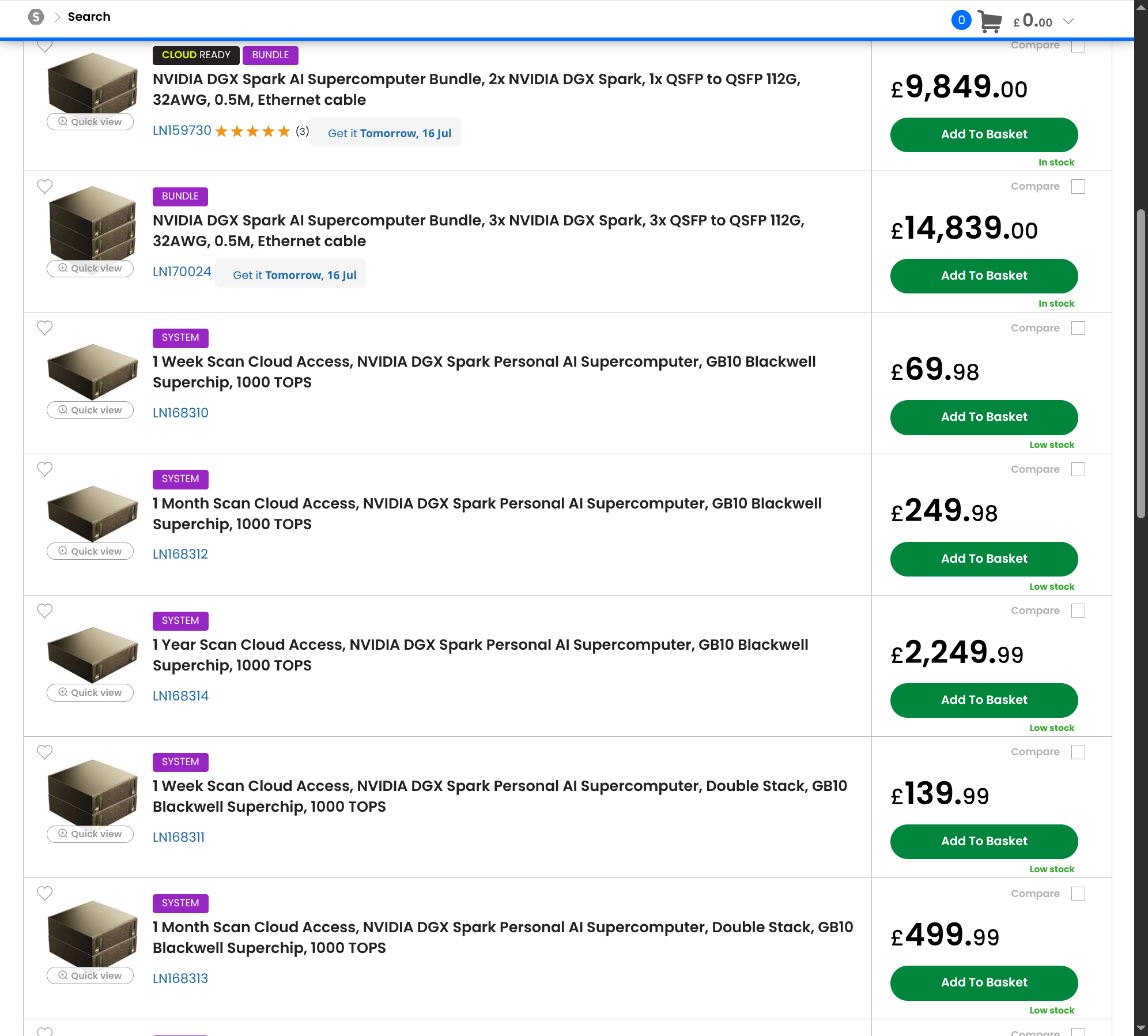
Pros: CUDA on a unified-memory box · NVIDIA's inference stack · 128 GB. Cons: ARM + vendor DGX OS = fighting the stack on NixOS · ~$3,999 and UK bundles start at £9,849 · scarce as a single unit. 🔗 NVIDIA DGX Spark · Scan UK pricing
❌ Mac Studio — ruled out by NixOS (reference only)
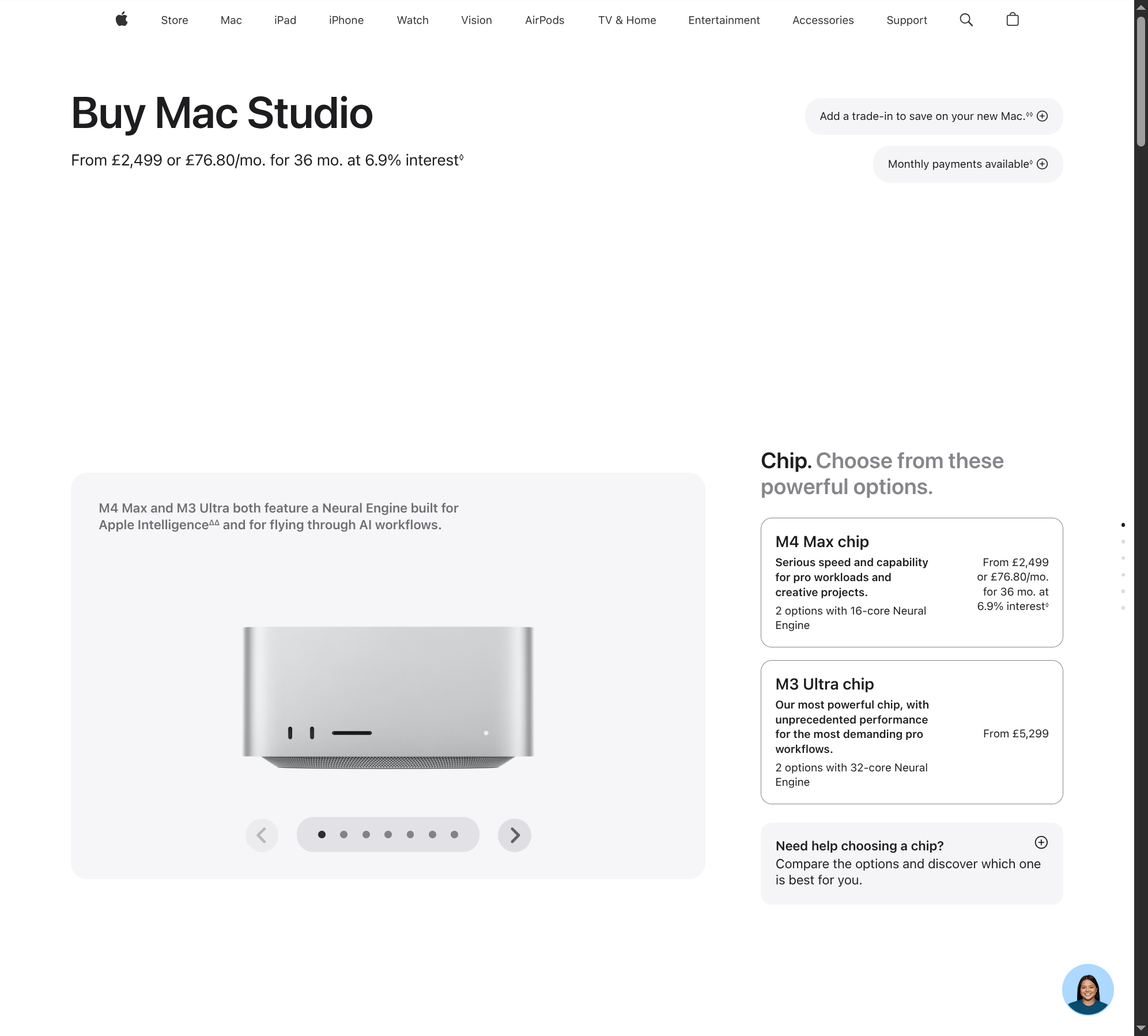
TL;DR: Fastest unified memory, scales to 512 GB, but macOS only — it can't be part of a NixOS setup. Here purely as the speed/price yardstick. 🔗 Apple UK — Mac Studio
🔵 The "just add RAM" route — killed by the shortage
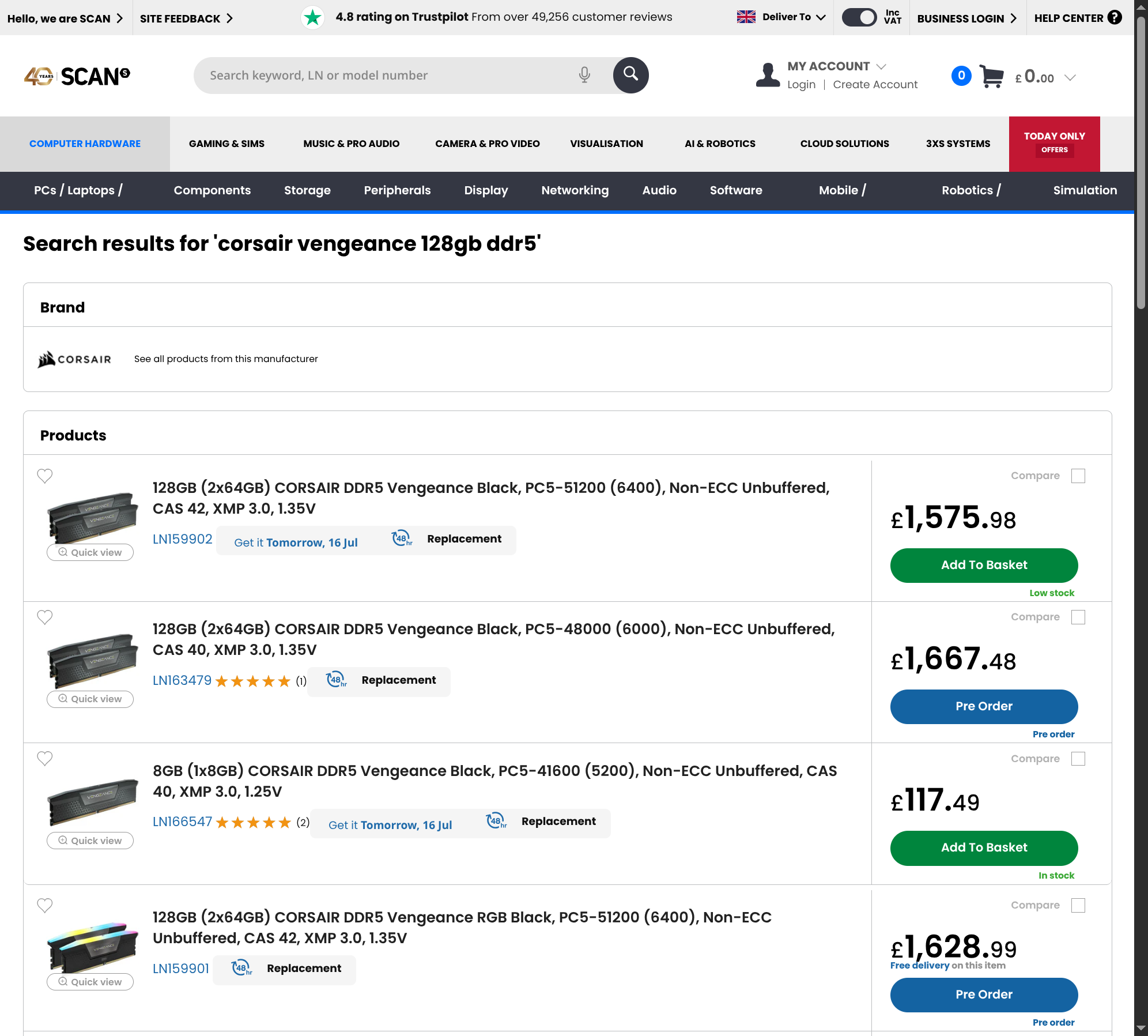
TL;DR: Running big models on the CPU means lots of system RAM. But 128 GB of DDR5 is £1,575 right now (a single 8 GB stick is £117 — roughly 4× normal). So the "cheap" route isn't cheap, and it's still the slowest option. Only sensible if you already own the RAM. 🔗 Scan UK — 128GB DDR5 kits
Verdict for a NixOS workflow
:::tip My lean Start with a used RTX 3090. Cheapest path to genuinely useful local inference, the NVIDIA+CUDA route on NixOS is boringly well-documented, and at £500–800 it can out-economise Flash 3.5 with daily use. If/when I want 70B+ at home, the big-memory box is a Minisforum MS-S1 MAX (~£1,750 + import VAT) — same Strix Halo chip as Framework, half the price, and a brand I already rate — not the £3,449 Framework. The white-label Alibaba box saves nothing meaningful once import + risk are priced in. DGX Spark (ARM/DGX OS) and Mac Studio (macOS) fight my workflow — out. For anything low-volume, Flash is still cheaper than buying anything.Jargon, if you want it
:::details Every term used above, in plain English
Decision
Proposed — leaning used RTX 3090. Pricing is done and points clearly: for a NixOS workflow, the sensible start is a used RTX 3090 (£500–800) running Qwen3 32B. The 70B+ upgrade path, if and when I need it, is a Minisforum MS-S1 MAX (~£1,750 + VAT) — same Strix Halo chip as Framework's £3,449 box, roughly half the price, brand I already trust. DGX Spark and Mac Studio are out on workflow grounds (ARM/DGX OS and macOS). Not committing to buy until the two open questions below are closed.
Consequences
- ✓ Cheapest route to useful local inference; proven NVIDIA+CUDA path on NixOS.
- ✓ Can out-economise Flash 3.5 with daily use (~90M output tokens to break even).
- ✗ 24 GB caps me near 32B — no 70B dense without a second card or a big-memory box later.
- ✗ Used-market condition risk; high power draw.
Still open (priced the hardware, didn't benchmark it)
- 💷 Which open models are actually best right now — I confirmed the cloud side moved (Gemini 3.5 / 3.1 Flash are current), but didn't re-verify open-weight leaders beyond my Jan-2026 memory (Qwen3 / Llama 3.3 / DeepSeek). Worth a check before downloading.
- 💷 Strix Halo real tokens/sec on a dense 70B and a big MoE — the whole "usable but slow" claim rests on community benchmarks I haven't pulled.
- AMD ROCm maturity on Strix Halo vs CUDA — how much friction on NixOS specifically.
- Whether a second used 3090 (48 GB, ~£1,300) beats a Strix Halo for my needs — cheaper and faster for 70B, if noisier and more DIY.